What in Programming?
- Everything
- Web Development 12
- JavaScript 9
- TypeScript 8
- Python 11
- Java 10
- C and C++ 10
- C# and .NET 2
- Go 8
- Rust 8
- PHP 9
- Mobile Development 8
- Game Development 8
- Data Science 11
- Machine Learning 9
- DevOps 8
- Databases and SQL 10
- Algorithms 10
- Cybersecurity 8
- Cloud 8
- APIs and Backend 8
- Frontend Frameworks 9
- Version Control 8
- Testing 8
- Shell and Linux 8
Version Control
-


 5:46
12
5:46
12
- 1 Git & GitHub Tutorial for Beginners #1 – Why Use Git? 5:46
- 2 Git & GitHub Tutorial for Beginners #2 – Installing Git 5:30
- 3 Git & GitHub Tutorial for Beginners #3 – How Git Works 6:08
- 4 Git & GitHub Tutorial for Beginners #4 – Creating a Repository 4:25
- 5 Git & GitHub Tutorial for Beginners #5 – Staging files 6:05
-



 5:33
10
5:33
10
- 1 Git Tutorial 1: What is git / What is version control system? 5:33
- 2 Git Tutorial 2 : What is Github? | github tutorial 11:43
- 3 Git Tutorial 3: How To Install Git 2:27
- 4 Git Tutorial 4: Basic Commands: add, commit, push 16:35
- 5 Git Tutorial 5: Undoing/Reverting/Resetting code changes 9:31
-



 30:33
7
30:33
7
- 1 Git Tutorial for Beginners: Command-Line Fundamentals 30:33
- 2 Git Tutorial: Fixing Common Mistakes and Undoing Bad Commits 21:31
- 3 Git Tutorial: Using the Stash Command 10:33
- 4 Git Tutorial: Diff and Merge Tools 9:38
- 5 Git Tutorial: Change DiffMerge Font-Size on Mac OSX 2:14
-


 13:06
15
13:06
15
- 1 Git and GitHub Beginner Tutorial 1 – Introduction 13:06
- 2 Git and GitHub Beginner Tutorial 2 – Getting started – Install Git (mac) 18:53
- 3 Git and GitHub Beginner Tutorial 3 – Getting started – Install Git windows 19:26
- 4 Git and GitHub Beginner Tutorial 4 – Enable git commands autocomplete and colors on Mac 7:22
- 5 Git and GitHub Beginner Tutorial 5 – Branching and Merging 10:57
-


 9:18
25
9:18
25
- 1 Git Tutorial – 1 – How to Download and Install Git 9:18
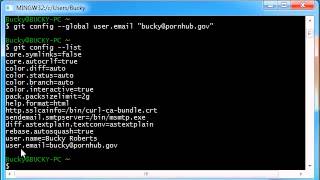
- 2 Git Tutorial – 2 – Config Our Username and Email 5:56
- 3 Git Tutorial – 3 – Creating Our First Repository 6:43
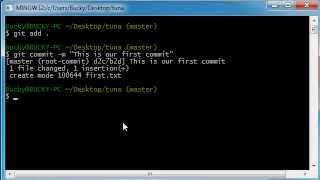
- 4 Git Tutorial – 4 – Commit 7:10
- 5 Git Tutorial – 5 – Adding Files and the Commit Log 5:36
-


 9:08
16
9:08
16
- 1 A brief introduction to Git for beginners | GitHub 9:08
- 2 Beginner Git commands you need to know (WITH EXAMPLES) 14:28
- 3 How to create your first GitHub repository: A beginner’s guide | Tutorial 9:32
- 4 How to upload files and folders to GitHub: GitHub for Beginners 3:51
- 5 How to add code to your repository | GitHub beginner tutorial 5:41
-


 8:32
7
8:32
7
- 1 What is Git and GitHub? 8:32
- 2 Installing and Setting up Git and GitHub 7:14
- 3 Basics of Git and using VS Code with Git 16:04
- 4 Reverting Back to a Previous Commit in Git 7:11
- 5 Branching and Merging in Git 6:01
-



 2:17
18
2:17
18
- 1 Easy Guide: How to Install Git on Windows, Linux, and Mac [2024 Update] 2:17
- 2 Demystifying Git: What It Is and Why You Need It | Beginner’s Guide 5:59
- 3 Understanding Git Repositories: A Beginner’s Guide | What is Git Repository 2:51
- 4 Mastering Git: Easy Guide to Configure Git for Beginners! 2:23
- 5 Mastering Git: Essential Commands – Status, Add, and Commit Explained! 14:59